Key takeaways
- Native (Swift and Kotlin) gives the best performance and the deepest access to device features, at the cost of two codebases.
- Cross-platform (Flutter, React Native) reaches iOS and Android from one codebase, which usually means a faster, lower-cost first release.
- Most business apps do not need native performance. Games, heavy camera or AR work, and hardware-intensive apps often do.
- You can start cross-platform and move hot spots to native code later, so the choice is less final than it feels.
Every mobile project starts with the same question: build separate native apps for iPhone and Android, or build once with a cross-platform framework? Both are proven choices. The mistake is picking one by habit, or because of the last conference talk you watched, instead of by what your product needs.
This guide explains what each approach really means, where each one wins, and five questions that settle the decision for most teams.
What each approach really means
Native development
Native apps are written separately for each platform: Swift (or Objective-C) for iOS and Kotlin (or Java) for Android. Each app uses the platform’s own tools, components and APIs directly.
You get the best performance, the newest platform features on day one and the most natural feel. The trade-off is two codebases, which usually means more design, build and testing effort.
Cross-platform development
Cross-platform frameworks such as Flutter and React Native let one team write most of the app once and ship it to both stores. Modern frameworks produce apps that feel native for the large majority of business use cases.
The trade-off is a layer between your code and the device. For everyday screens, forms, lists, maps and payments it is invisible. For graphics-heavy or hardware-intensive features, it can become a constraint.
The right question is not “which is better?” It is “which one fits this product, this budget and this timeline?”
Five questions that settle it
- How demanding is the app? Standard business flows suit cross-platform. Real-time graphics, AR, advanced camera pipelines and background processing often justify native.
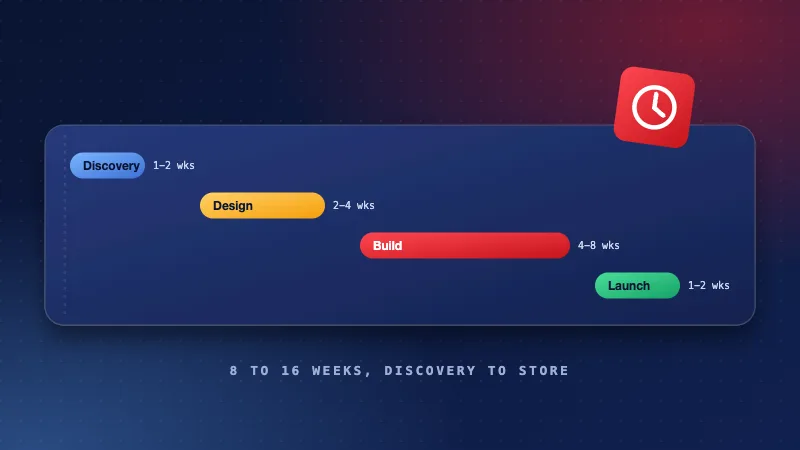
- How fast do you need to launch? One codebase generally reaches both stores sooner, which matters when you are testing an idea.
- What is your budget over three years? Compare build plus maintenance, not only the first invoice. Two codebases mean two sets of updates after every OS release.
- Do you need day-one access to new OS features? Native gets new platform capabilities first. Cross-platform frameworks catch up, usually within weeks.
- Who will maintain it? Match the stack to the team you can hire and keep, not to a trend.
| Factor | Native | Cross-platform |
|---|---|---|
| Performance | Best possible | Very good for most apps |
| Time to both stores | Longer | Shorter |
| Cost to build and maintain | Higher | Lower |
| New OS features | Day one | Shortly after |
| Platform-specific feel | Complete | Close, with some effort |
Start cross-platform to reach users quickly, then write specific screens or modules natively where measurements show you need it. You are not locked in on day one.
When we recommend native
- Games, AR and apps that lean on advanced graphics or sensors.
- Products where one platform is clearly the priority, for example an iPhone-first consumer app.
- Apps that must adopt new OS features the moment they ship.
When we recommend cross-platform
- Startups validating an idea and wanting both platforms fast.
- Business apps built around forms, lists, dashboards, chat, bookings and payments.
- Teams with a limited budget who still want a polished, consistent experience.
Published November 2, 2026.